datapeek

A modern, local SQL database browser for SQL Server and PostgreSQL databases.
Datapeek provides an intuitive web-based interface to browse, query, and explore your SQL Server and PostgreSQL databases directly from your terminal.
Quick Start
Option 1: With Connection String (Recommended)
Run Datapeek with your connection string directly:
SQL Server:
npx datapeek "Server=localhost;Database=MyDB;User Id=sa;Password=password;"
PostgreSQL:
npx datapeek "postgresql://user:password@localhost:5432/mydb"
This will automatically connect and open your browser to the Datapeek interface.
Option 2: Without Connection String
Run Datapeek without arguments to use the interactive connection dialog:
npx datapeek
A connection dialog will open in your browser where you can enter your database connection details.
Screenshots
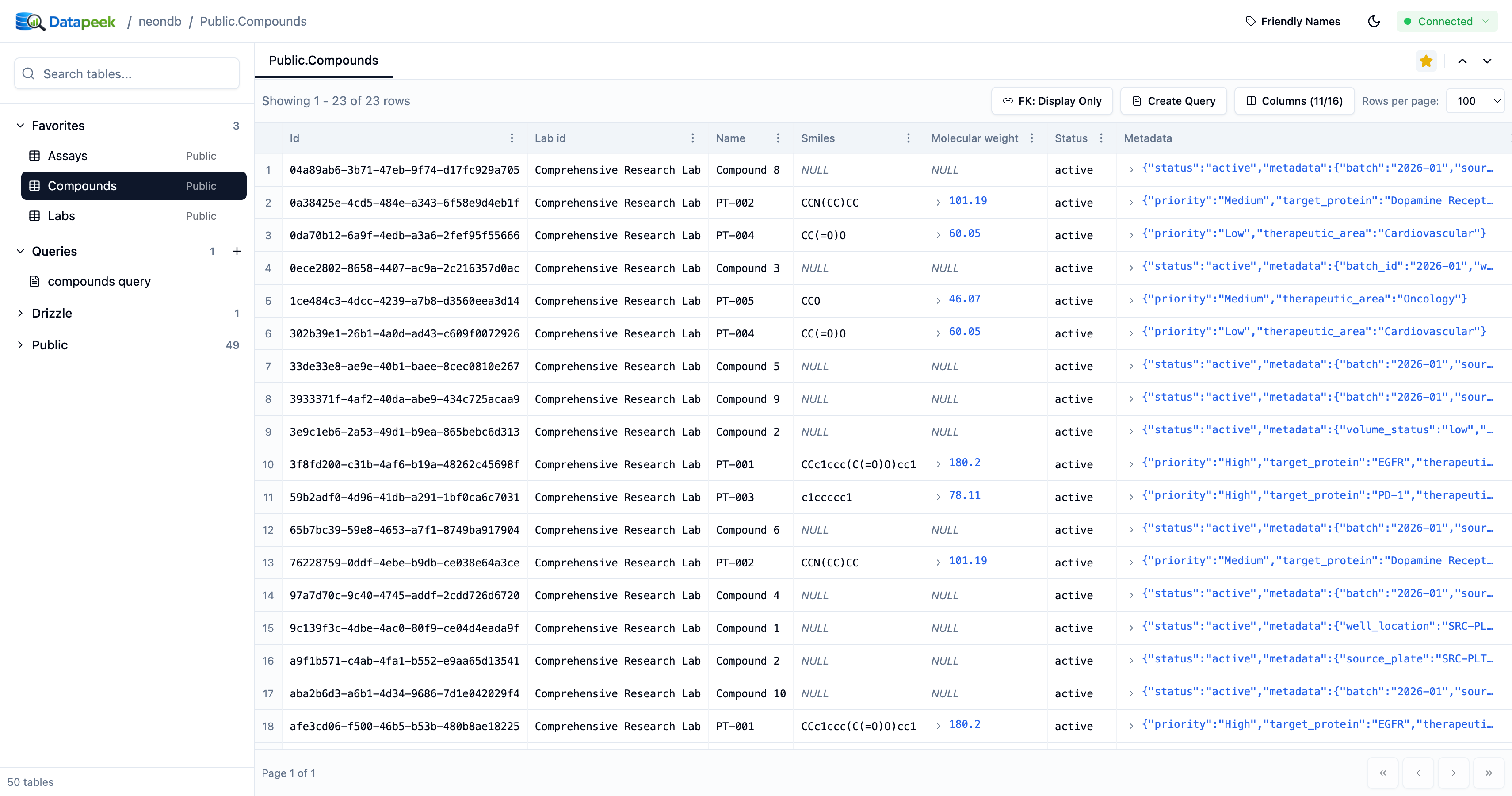
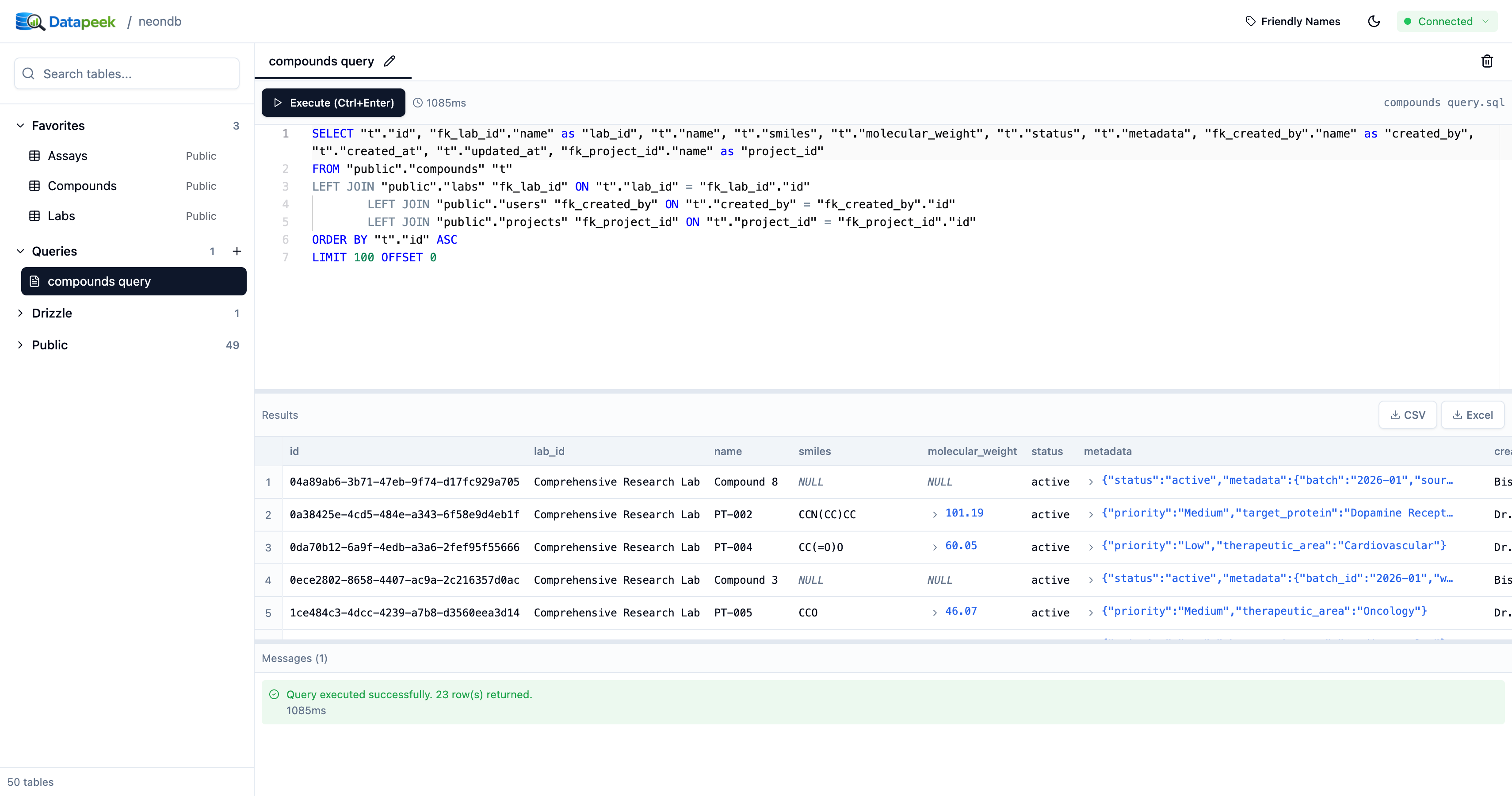
Light Mode
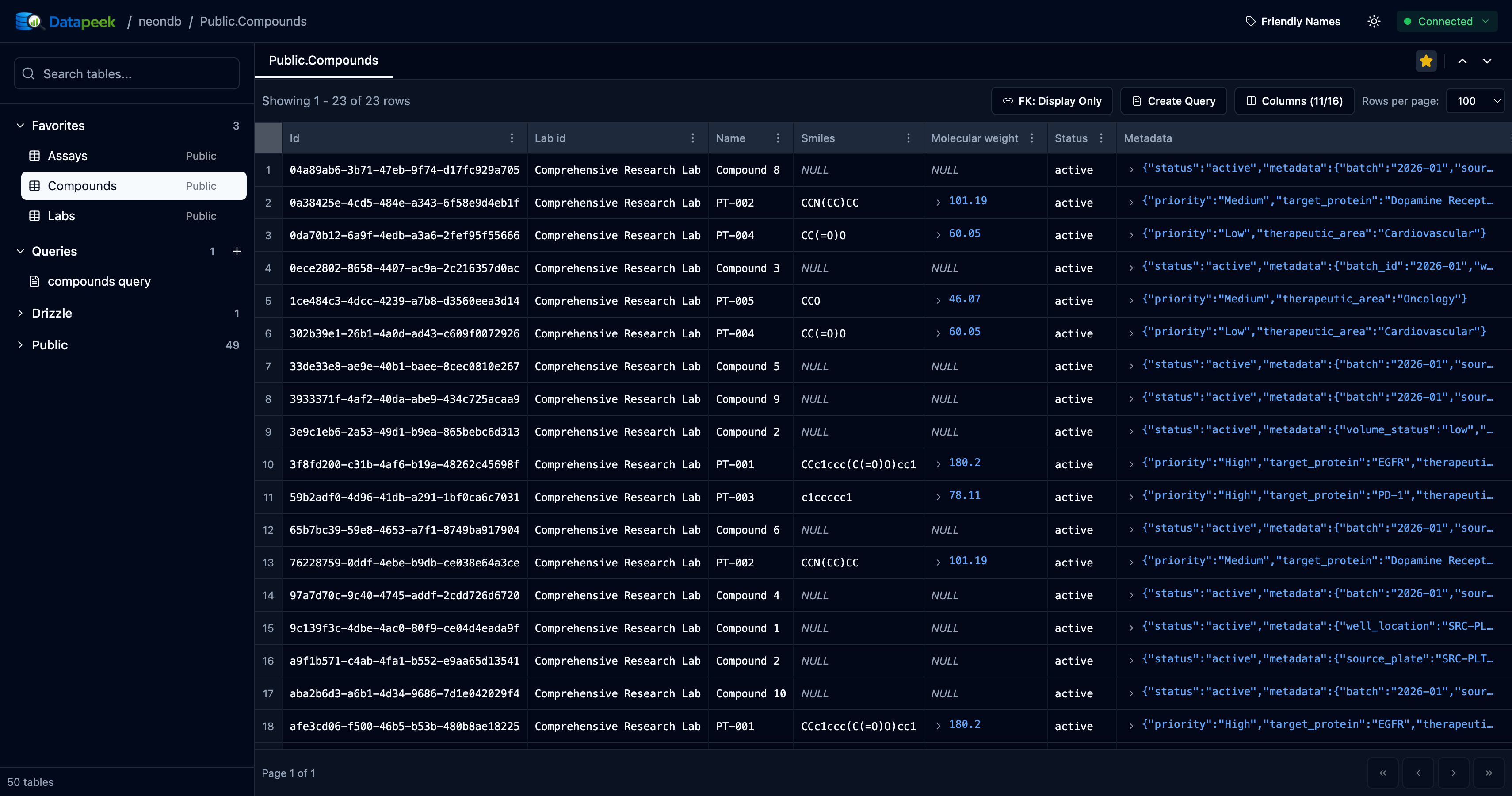
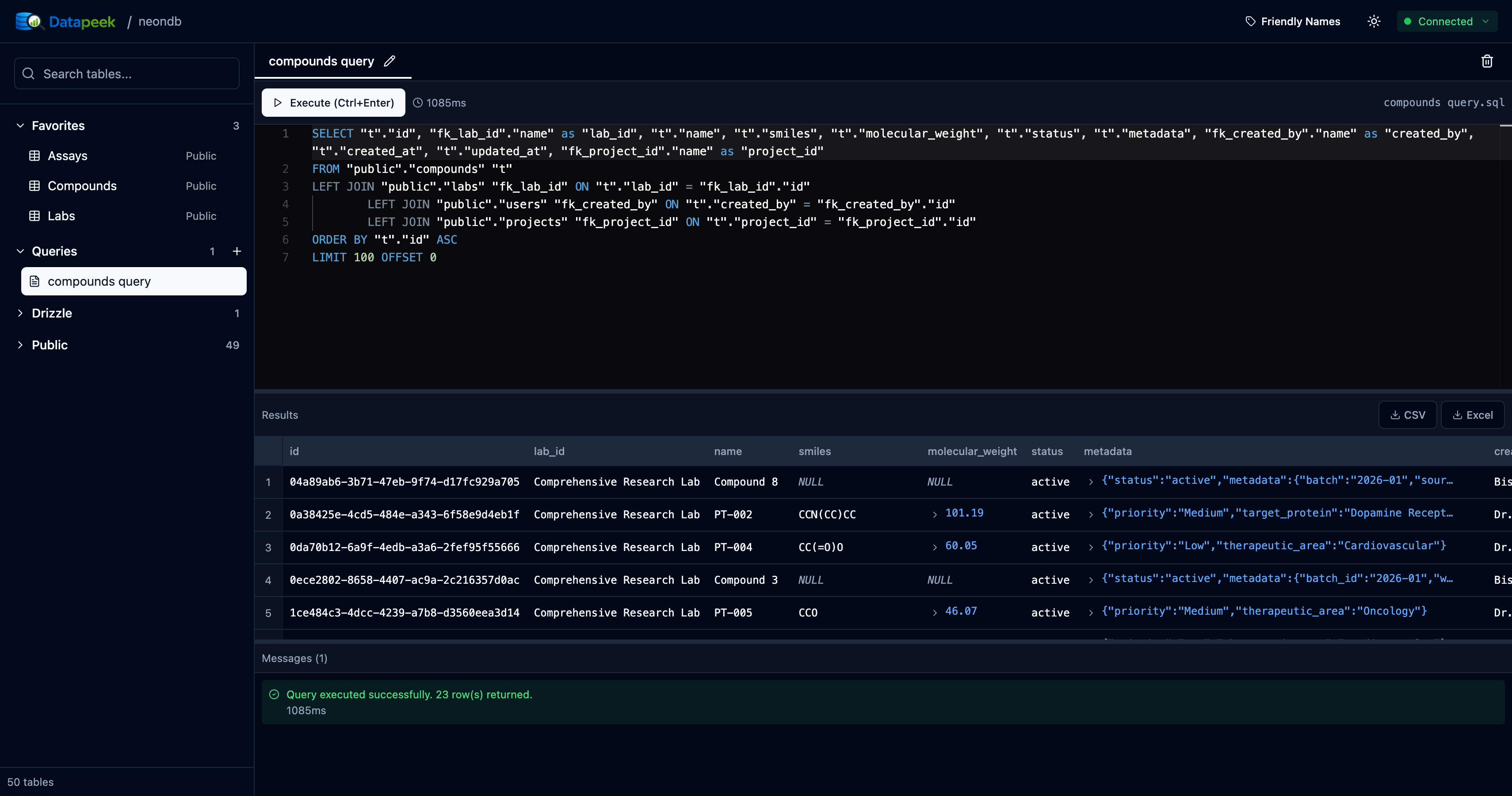
Dark Mode
Features
- 🗄️ Multi-Database Support - Works with both SQL Server and PostgreSQL
- 📊 Browse Tables - Explore database schemas and tables with an intuitive sidebar
- 📋 View Data - Paginated table views with Excel-like cell selection and copy
- 🔍 Search & Filter - Quickly find tables and data with advanced filtering
- 📝 SQL Editor - Write and execute queries with syntax highlighting and query history
- 🔗 Foreign Key Navigation - View related data with foreign key displays
- 📦 JSON Support - View and explore JSON objects with expandable formatting
- ⭐ Favorites - Bookmark frequently used tables
- 💾 Connection History - Recent connections are remembered per database
- 🎨 Modern UI - Clean, responsive interface
- 🌓 Dark Mode - Built-in theme toggle
- 📋 Copy to Excel - Select cells and copy with headers (Ctrl+C)
- ⏱️ Query Cancellation - Cancel long-running queries (30-minute timeout)
Installation (Optional)
If you use Datapeek frequently, you can install it globally:
npm install -g datapeek
Then run it directly:
SQL Server:
datapeek "Server=localhost;Database=MyDB;User Id=sa;Password=password;"
PostgreSQL:
datapeek "postgresql://user:password@localhost:5432/mydb"
Development
For developers who want to contribute or customize Datapeek:
# Clone the repository
git clone https://github.com/bishoymly/datapeek.git
cd datapeek

# Install dependencies
npm install

# Run development server (opens browser automatically)
npm run dev

# Run with connection string (SQL Server)
CONNECTION_STRING="Server=localhost;Database=MyDB;User Id=sa;Password=password;" npm run dev

# Run with connection string (PostgreSQL)
CONNECTION_STRING="postgresql://user:password@localhost:5432/mydb" npm run dev

# Build for production
npm run build
Requirements
- Node.js 18 or higher
- SQL Server database (local or remote) OR PostgreSQL database (local or remote)
License
MIT